How to Use Starfield Mods: A Practical Guide for Experienced Players
Modding in Starfield has evolved from a niche experiment to a robust way to reshape the game’s universe—whether you want to streamline quests, overhaul visuals, or inject fresh mechanics. Unlike Bethesda’s earlier titles, Starfield benefits from a mature modding ecosystem that prioritizes stability and compatibility, but success still hinges on knowing where to start and how to troubleshoot. Below, we break down the essential steps, tools, and pitfalls to avoid when integrating mods into your playthrough.
Where to Begin: Modding Tools and Setup
Before downloading anything, ensure you have the right foundation. The Starfield Mod Manager (SFMM) is the de facto tool for most players, offering a clean interface to install, enable, and disable mods without manual file juggling. It automatically detects conflicts and sorts load orders—a critical feature given how many mods touch the same core systems. For players who prefer a more hands-on approach, Vortex remains a viable alternative, though its integration with Starfield’s specific file structure can be less intuitive.
Key setup steps:
- Install the game via Steam or Xbox Game Pass (mods are not supported on the Microsoft Store version).
- Back up your saves before enabling mods—corruption is rare but possible with certain types of overhauls.
- Use the Starfield Script Extender (SFSE) if you’re running script-heavy mods. It’s not mandatory for all mods, but it unlocks advanced functionality like custom quests and NPC behaviors.
Mod Selection: Quality Over Quantity
Not all mods are created equal, and the Starfield community has already winnowed the wheat from the chaff. Prioritize mods with:
- Active maintenance: Check the last update date on Nexus Mods or Bethesda.net. A mod last updated in 2023 may not work with the latest patches.
- Compatibility lists: Some mod authors publish load order recommendations. For example, the Starfield Expanded suite requires specific mods to be loaded before others to avoid crashes.
- User reviews: Look for comments about stability, not just features. A mod that adds 50 new ships but crashes every 30 minutes isn’t worth the risk.
For a balanced starter pack, consider these categories:
- Gameplay tweaks: Mods like Starfield - More Realistic Star Map or Better Companions refine existing systems without overhauling the core experience.
- Visual upgrades: Starfield - 4K Texture Pack or Improved Vanilla Ships enhance immersion without requiring a powerful PC.
- Quality-of-life: QuickLootRE (ported from Skyrim) or Customizable HUD mods let you tailor the UI to your playstyle.
Load Order and Conflict Resolution
The order in which mods load can make or break your experience. SFMM handles this automatically for most cases, but manual adjustments are sometimes necessary. As a rule:
- Foundation mods (e.g., SFSE, script extenders) load first.
- Core gameplay mods (e.g., faction overhauls, new mechanics) should follow.
- Cosmetic and minor tweaks (e.g., UI changes, texture packs) load last.
To diagnose conflicts:
- Use the Mod Conflict Finder tool in SFMM to identify overlapping edits.
- Disable mods in batches—start with the most recently added—to isolate the culprit.
- Check mod descriptions for known incompatibilities. For example, Starfield - Level Scaling Overhaul and Starfield - Realistic Difficulty are mutually exclusive.
Performance and Stability: What to Expect
Mods can tax your system, especially if you’re running multiple visual overhauls or script-heavy additions. Performance impact varies widely:
- Light mods (e.g., UI tweaks, minor gameplay changes) typically add <5% overhead.
- Medium mods (e.g., new factions, ship mods) may increase load times by 10–20% and reduce FPS in combat.
- Heavy mods (e.g., total conversion mods like Starfield - New Beginnings) can double or triple load times and require a mid-to-high-end GPU.
Optimization tips:
- Cap your FPS in-game to match your monitor’s refresh rate to reduce stuttering.
- Use Bethesda Archive Extractor to merge loose files if you’re running out of disk space.
- Disable mods temporarily when exploring uncharted systems—some mods interfere with procedural generation.
Community Wisdom: Lessons from Veteran Modders
Seasoned players emphasize a few hard-won lessons:
- Start small. A single well-made mod (e.g., Starfield - No More Random Encounters) can refresh a playthrough more than a dozen half-baked additions.
- Document your load order. Screenshot your SFMM setup before major updates—mod authors often release patches that break existing setups.
- Engage with the community. The Starfield Modding Discord and Nexus Mods forums are goldmines for troubleshooting and inspiration.
Ultimately, modding Starfield is about tailoring the experience to your vision—whether that means a harder survival challenge, a more immersive galaxy, or a playthrough where every ship looks like a capital cruiser. The tools and mods are here; the only limit is your creativity.
You Are The Reason - Notes For Piano | PlayYourNotes
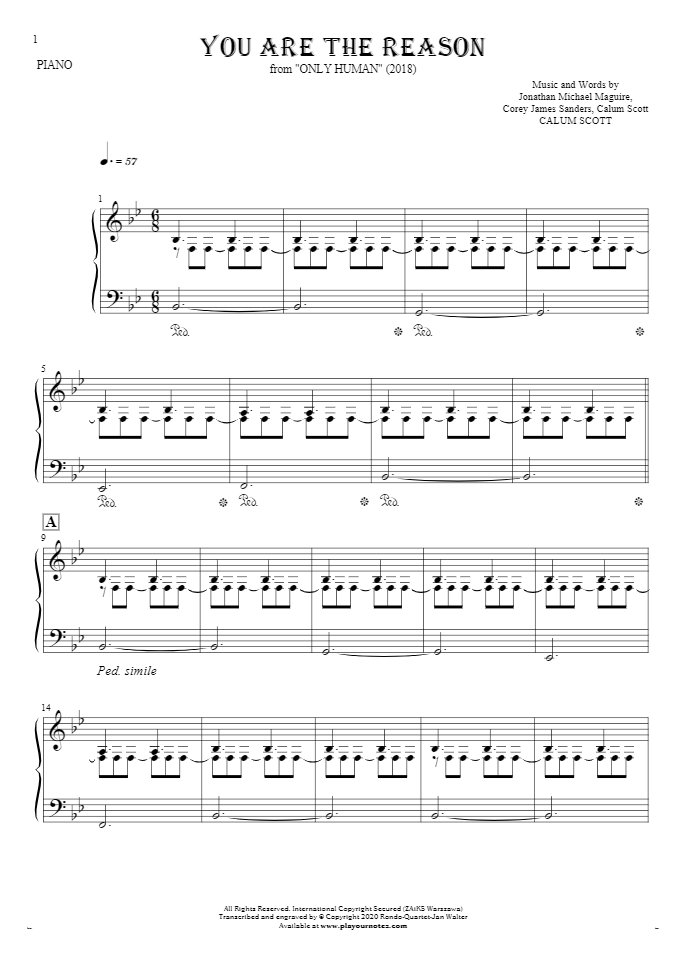
You Are The Reason - Notes for piano | PlayYourNotes